Windows 11 Pro is the latest upgrade for professionals and power users. Microsoft designed it with speed, power, and enhanced productivity. Windows 11 Pro Features are packed with advanced tools. These tools help business owners, IT experts, and high-end users. From secure desktop settings to remote work abilities, it covers all. If you’re considering upgrading, this is the right time. This guide shares everything you must know. Let’s begin with the story of how it all started.
Microsoft launched Windows 11 after years of experience with Windows 10. The goal was to create a new, modern experience. It looks fresh, runs smoother, and works faster. Microsoft made updates to both design and performance. But more importantly, Windows 11 Pro Features stand out. This version offers tools not seen in Home versions. These include Group Policy, Remote Desktop, BitLocker, and more. Professionals benefit from the added functions daily.
We will now dive into details. You’ll learn Windows 11 Pro Features in-depth, understand system demands, and compare prices. Real user experiences are included too. With frequent updates and reliable support, Windows 11 Pro remains a leader in operating systems. Are you wondering if it’s worth the upgrade? Stick around to discover everything about Windows 11 Pro Features and how it fits your setup.
What Makes Windows 11 Pro Different?
Windows 11 Pro Features are richer compared to the standard versions. The Pro version is made for productivity at a professional level. It includes advanced tools missing from the Home version. The main focus is business, security, and flexibility. It offers BitLocker for strong device encryption. You get a full remote desktop service too. These are great for workers on the go. Also, it supports joining a domain or Azure Active Directory. That’s important for companies.
Windows 11 Pro Features include full Hyper-V support. This means powering up virtual machines is easy. It’s useful for developers and testers. Moreover, updates can be controlled better. Through Windows Update for Business, you manage when and how you install updates. With Group Policy support, you set rules across devices. This makes managing multiple systems faster. These features are key for IT departments.
Added options like Assigned Access and Kiosk Mode deliver more power to businesses. Windows 11 Pro Features also enhance user security, thanks to TPM 2.0. It ensures hardware-level protection. Users get Windows Hello face recognition too. All these features make Windows 11 Pro a wise choice. Ideal for anyone from freelancers to business owners. In our full review ahead, we will explore every feature in detail.
Clean and Modern User Interface
A big part of Windows 11 Pro Features revolves around its new look. The interface is sleek, modern, and refreshing. Microsoft moved the Start menu to the center. It’s easier to reach and looks balanced. Rounded corners make everything feel smooth. Icons, taskbars, and animations are all redesigned. These changes aren’t just cosmetic. They improve user flow and experience.
Widgets are back, and they give live updates. You get weather, calendar, and other info in real-time. Snap Layouts help you manage multiple windows. It allows quick arrangements of workspaces. You can also use Virtual Desktops. This helps if you work on many tasks or projects. Switching between setups becomes super easy. These visuals are part of core Windows 11 Pro Features.
Touch support is better. If you use a touchscreen device, the UI responds faster. Multi-gesture support adds finesse. Overall, everything feels quicker and smoother. The animations are fast, and the whole design is cohesive. Light and dark modes are more refined. You can customize your look based on mood or time.
Windows 11 Pro Features go beyond looks. But having a clear, simple, and polished interface helps efficiency. These upgrades are made to reduce eye stress and improve workflow. Whether you’re a designer or a coder, the clean UI makes everything easier. This is one reason why many users prefer the look and feel of Pro over older versions.
Powerful Security Features in Windows 11 Pro
Security is at the heart of many Windows 11 Pro Features. This version gives users advanced protection. Starting with hardware, it needs TPM 2.0 for install. The Trusted Platform Module secures booting. It checks if the system has been tampered with. This shows how seriously Microsoft takes safety.
BitLocker is a game-changer in Windows 11 Pro Features. It encrypts your entire drive. If your laptop is lost or stolen, no one can access your files. That gives peace of mind. Next comes Windows Information Protection. It protects against accidental data leaks. Helpful for employees using both personal and work files.
Admins love Group Policy. It sets rules across many devices. You control apps, updates, and settings. Remote work is safer too. Windows 11 Pro supports Remote Desktop. You connect to work PCs from anywhere with encryption. Secure Boot ensures only trusted software loads.
Also, Microsoft Defender gets better in this version. It’s faster and smarter at spotting threats. Enterprise features like credential guard block identity theft. And with multi-factor authentication, you are safer than ever. All these features combine into a powerful shield.
Windows 11 Pro Features keep improving with updates. Regular patches fix bugs and threats. You stay protected while working or browsing. These layers of defense make Windows 11 Pro ideal for professionals and small businesses alike.
Optimized for Business Use
Windows 11 Pro Features focus heavily on professionals and businesses. This version is power-packed for the modern workspace. Managing multiple users is simple here. IT teams can control devices efficiently. Group Policies and Active Directory support offer immense flexibility. You can apply settings to all users in just a few clicks.
BYOD setups also work smoothly. With Azure AD and Microsoft Intune, connecting and managing personal devices is easy. You protect data while employees use their devices. Windows 11 Pro Features make it seamless and safe.
Virtualization is another strong suit. Hyper-V lets you create and test virtual machines. It works well for developers too. Combine this with Windows Sandbox and test files safely. No need for extra software. Remote work is fully supported, thanks to Remote Desktop. Users can access office desktops from home.
Assigned Access lets you lock devices for specific use. Perfect for kiosks or task roles. It reduces distractions and improves task focus. This feature is not in the Home version. With Domain Join, adding devices to a network is simple.
Windows 11 Pro Features are designed for a connected business world. It gives users flexibility, security, and reliability. Growth-focused companies will find great value here. Managing workflow gets easier. That’s why business users are moving to Windows 11 Pro fast.
System Requirements for Running Windows 11 Pro
Before you dive into Windows 11 Pro Features, you need to check if your device can run it. Unlike older systems, Windows 11 has strict requirements. These help the system run better and safer.
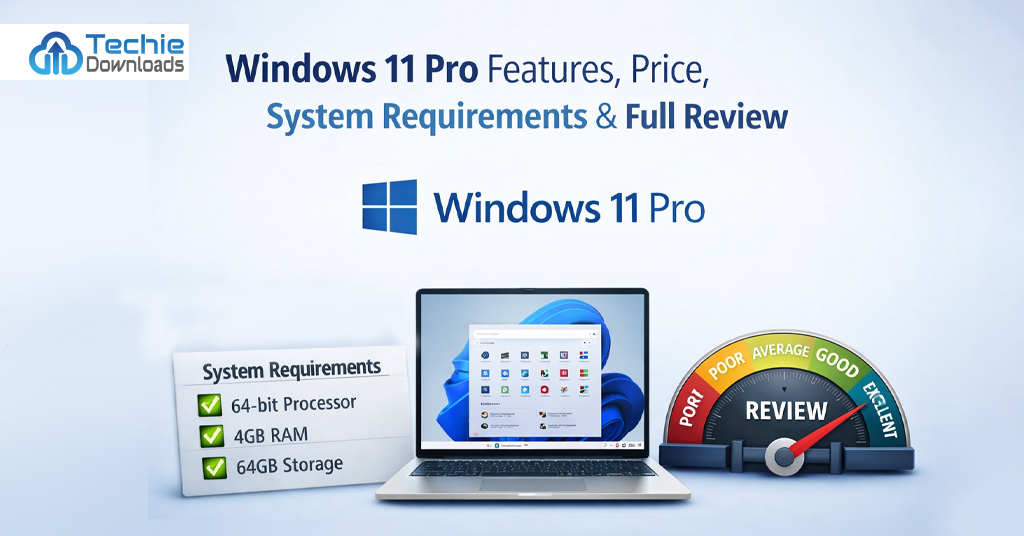
First, your processor needs to be a 1 GHz or faster, with at least two cores. It must be on Microsoft’s approved list of CPUs. Also, your PC needs 4 GB RAM or more. For storage, 64 GB is the minimum. But more is better, especially for updates.
One major hardware demand is TPM 2.0. This security module protects your system from threats. Without it, installation won’t work. Your device must also support Secure Boot in the BIOS. Graphics-wise, you must have a DirectX 12-compatible GPU. The system also requires a display at least 720p in resolution.
You also need a Microsoft account and stable internet. These are needed during installation. Activation and updates depend on them. Don’t worry, though. Most PCs built in the last 2–3 years already have these features. You can check compatibility with PC Health Check Tool.
Windows 11 Pro Features demand modern hardware. But this also means better speed, security, and efficiency. So if your system qualifies, you’re in for a premium experience. Make sure your device is ready before upgrading or buying the Pro system.
Performance and Speed Improvements
When it comes to performance, Windows 11 Pro Features deliver clear upgrades. The system runs faster and feels lighter. It uses your system’s hardware more efficiently. Boot-up times are quicker than in Windows 10. Apps also open with less delay. Managing heavy software is smoother too. You’ll notice improved multitasking.
Microsoft worked to make this version think smarter. Resource handling got better. That means background apps don’t slow down performance. Windows 11 Pro Features like Snap Layouts help you stay organized. This improves focus without lag. Many background updates also finish silently.
The Pro version includes better memory management. It prioritizes active apps. That way, the system gives power where it’s needed first. Windows 11 Pro is also better for battery life. On modern laptops, it runs with less heat and fan noise. This happens because of optimized performance controls.
It also works well with SSDs. File transfers are faster. Processing speeds come at a higher level than older versions. Pro users who depend on quick response won’t be disappointed. Creative tools, video editing software, and business programs run cleaner and with fewer crashes.
All these benefits are among the best Windows 11 Pro Features. Professionals notice gains in performance every day. In tasks like compiling code or designing graphics, the speed can save hours. That’s why users are quick to upgrade from Windows 10 to Windows 11 Pro.
Gaming Features in Windows 11 Pro
Even though it’s built for work, Windows 11 Pro Features also appeal to gamers. Microsoft brought amazing gaming support. It uses hardware in new ways to deliver high-quality visuals and faster play. DirectStorage is one of the top features. This loads game assets faster from your SSD. You enter scenes and areas in seconds, not minutes.
Auto HDR also comes built-in. Games now display richer contrast and colors. If you have a modern display, it’ll look stunning. Many users see clearer light, shadows, and depth in textures. Playing your favorite titles feels more immersive.
Xbox Game Bar is enhanced too. You can take screenshots and record videos during play. Game Mode helps reduce background activity. This means more system power is given to your game. The system slows updates, alerts, and background tasks. Windows 11 Pro Features make sure gaming performance stays high.
The best part? You can get access to Xbox Cloud Gaming. This means you stream games online even without a high-end PC. Combine that with supported accessories like Xbox controllers, and you’re set.
Though Windows 11 Pro is made for professionals, its gaming features surprise many. Gamers who work by day and play at night won’t need a dual system. That’s why many users call this version the best Windows release yet.
Productivity Tools Built Into Windows 11 Pro
Windows 11 Pro Features do more than look good. They offer serious productivity options. With built-in tools, every task gets easier. Snap Layouts are great for screen organization. You can drag and split multiple windows fast. This improves multitasking. No more resizing windows manually.
Virtual Desktops are also included. You can create one for work, another for personal tasks. Switching between them is smooth. It feels like using more than one PC at once. There’s even Microsoft Teams integration. This makes chatting, calling, and meetings easier. It’s perfect for remote teams.
Windows Clipboard is smart too. It saves multiple copied items. You can paste items copied earlier. That’s handy during writing projects or coding. Task View shows all your open apps in a single screen. It helps you keep track of everything.
You also get better search functionality. The new AI-powered search finds apps, docs, and system tools fast. Pair this with Windows Hello, and you sign in instantly. These small features add up. They either save time or make tasks smoother.
Looking at Windows 11 Pro Features, you see they’re built with real users in mind. From office workers to content creators, everyone benefits. These tools make daily use enjoyable and less stressful.
Comparing Windows 11 Pro vs Home Edition
It’s important to know the difference between the Home and Pro versions. While both may look similar, Windows 11 Pro Features give more control. For casual users, the Home edition may be enough. But for advanced tasks, the Pro version is the clear winner.
Windows 11 Pro allows Group Policy. This means IT can set rules for security and software. Windows 11 Home lacks this. Also, BitLocker encryption is exclusive to Pro. That means your data is safe even if your device is lost. If security matters, that’s a key difference.
Remote Desktop is another deal-breaker. Only Windows 11 Pro Features include connecting remotely to your PC. This is helpful when working away from your desk. Domain Join is also missing in the Home version. Businesses need domain access to control logins and system access.
Pro also has support for Hyper-V and Sandbox. These tools let users test software in isolated systems. They’re must-haves for developers and testers.
In short: if you work professionally or need better control, choose Pro. It’s made for users who expect more. Of all Windows 11 Pro Features, the biggest win is flexibility. For growing needs or work-from-home schedules, Windows 11 Pro gives the best value.
Price and Licensing of Windows 11 Pro
Let’s take a look at the cost. Windows 11 Pro Features come with a price tag. If you’re upgrading from Home to Pro, it typically costs $99.99 USD. Buying it fresh costs around $199.99 USD. This may vary slightly depending on your country or vendor.
Why does it cost more? You get a full set of professional features. Security, virtualization, remote tools — all these value-packed extras are worth it for advanced users. For individuals with business needs, the enhanced control is essential.
Licensing Windows 11 Pro is easy. Most users get a digital license tied to their Microsoft account. You can reinstall it later using the same credentials. If you’re buying a key from third-party vendors, stick to trusted sellers.
Techiedownloads.com currently offers special deals on Windows 11 Pro licenses. You can save big on lifetime keys. Keep an eye out for bundle packages or seasonal discounts. It’s the best place to buy genuine Windows 11 Pro keys.
In business environments, volume licensing is available. Companies can buy licenses for groups of employees. This helps reduce cost per PC and makes updates easier.
Windows 11 Pro Features unlock serious benefits. While more expensive, they are often worth every dollar. Especially if you rely on your PC for daily work or security.
Buying from Techiedownloads.com – Best Deal Here
If you are looking to upgrade, Techiedownloads.com is your best bet. This trusted site offers genuine Windows 11 Pro licenses at unbeatable prices. You don’t have to pay full retail. Techiedownloads.com has special deals for students, businesses, and general users. These deals help you enjoy all Windows 11 Pro Features without draining your wallet.
They offer lifetime license keys, secure checkout, and quick delivery. Right after buying, you receive the activation key via email. You activate your OS in minutes. Their support team is also quick to help. In case you face issues, they guide you step-by-step.
What makes them stand out? Their volume discounts! If you’re managing more than one device, Techiedownloads.com gives you combo offers. You can buy multiple keys at lower rates. These benefits are ideal for small businesses or freelancers with more than one PC.
Many users say Techiedownloads.com is their go-to source. Not just for Windows 11 Pro, but also for Office tools, antivirus software, and more. The platform is updated often and only lists verified software.
So, instead of paying extra, visit Techiedownloads.com now. Get all the Windows 11 Pro Features legally, safely, and affordably.
Real User Reviews and Feedback
User feedback paints a clear picture. Most users love the added security of Windows 11 Pro Features. Business users say BitLocker is a game-changer. Others love Remote Desktop. It lets them work from different locations easily. These tools allow stress-free remote access.
One freelancer said, “I upgraded mainly for virtual desktops and Snap Layouts — and I’m glad I did.” Another reviewer praised the speed boost. Many agree the interface feels smoother and more modern than Windows 10. Even casual users notice faster boot times.
Some users did face issues initially. Hardware compatibility is a common challenge. Older systems cannot install Windows 11 Pro. However, once set up, feedback is mostly positive.
The virtual machine tools like Hyper-V also got attention. Developers find it very useful. With a few clicks, test environments are created. This saves time and improves workflow.
Users who bought from Techiedownloads.com also left reviews. They said the activation process was smooth. Prices were much lower than retail. Support staff answered queries fast.
The bottom line? Windows 11 Pro Features satisfy most users. From security to usability, upgrades are meaningful. User experience continues to improve with each update. That shows Microsoft listened to feedback and delivered a solid OS.
Updates and Support Lifecycle of Windows 11 Pro
Windows 11 Pro comes with great support. Microsoft offers regular updates—both for features and security. These updates run silently in the background. That means fewer interruptions during work.
Feature updates arrive twice a year. They add better tools and fix older issues. Security patches are monthly. These protect your system from viruses and threats. With all these, Windows 11 Pro Features stay ahead.
Support also lasts longer. Microsoft gives Pro users 36 months of updates per feature release. That’s more than what Home users get. Plus, businesses can set when to receive updates. Through Windows Update for Business, you stay in control.
If issues happen, Microsoft’s Help app is useful. It connects to live support or gives examples. Pro users can also use Remote Assistance. Someone can safely control your screen and help.
Also, driver updates are better. Windows 11 Pro checks and downloads the correct ones. This helps keep hardware stable. Microsoft’s feedback hub lets users send bug info. If something goes wrong, reporting it is simple.
In short, Microsoft takes care of its Pro users. They get quicker fixes and longer support. If updates and consistency matter, Windows 11 Pro Features offer those benefits for years to come.
Final Verdict and Conclusion
After exploring all Windows 11 Pro Features, it’s clear this system means business. Every part of it is built for power users. Features like BitLocker, Remote Desktop, and Group Policy set it apart. The improved design makes it more user-friendly. Add speed, better gaming, and work tools — and you have a winning combo.
If security and performance matter, this is the best version. Compared to Home, Pro offers full control. IT workers, freelancers, and small business owners will benefit most. It’s also ready for the future. With virtualization tools and updates, you stay ahead.
Whether you want to work safely, play games, or manage multiple users — this OS handles all. Make sure your system meets requirements. Then, grab a license from Techiedownloads.com. Getting Pro-level features has never been so easy or affordable.
To sum it up: Windows 11 Pro Features give you everything you need in a modern OS. Upgrading is a smart move for anyone serious about performance and scalability. Don’t settle for less. Step into the premium experience today.
FAQ’s
1. Is Windows 11 Pro better than Windows 11 Home?
Yes. Windows 11 Pro has more advanced features like BitLocker, Remote Desktop, and Group Policies not found in the Home version.
2. Can I upgrade from Home to Pro?
Yes. You can upgrade anytime by purchasing a license key and applying it to your current Windows 11 Home system.
3. Does Windows 11 Pro support all types of apps?
Absolutely. It supports standard Windows apps, Pro tools, development software, and productivity apps seamlessly.
4. Is Windows 11 Pro worth the price?
Yes. The added Windows 11 Pro Features like security and remote access make it worth the upgrade for professional needs.
5. Where can I buy Windows 11 Pro cheaply and safely?
You can buy genuine licenses at a discounted rate from Techiedownloads.com. It’s trusted and fast.